How Long Does TV Mounting Take? By TV Size & Installation Type
A one-to-two-hour estimate is a useful starting point, but the wall, mount and included tasks matter. Separate the work duration from the arrival window.
Table of contents
Separate the arrival window from time spent workingWhat changes as the TV gets larger?Wall type and mount design change the workCable work and accessories belong in the estimatePrepare the room without starting the installationGet a useful finish-time estimate before committing your day
About one to two hours is a useful starting point for planning a straightforward TV mounting visit, not a guaranteed finish time. Taskrabbit’s published service guidance uses that range and notes that complex wall or cable work can take longer. Your actual estimate should account for the TV, wall construction, mount and extras. UPTask asks customers to confirm the planned configuration rather than assigning one duration to every installation.
Separate the arrival window from time spent working
An arrival window describes when the professional is expected to reach your home. Installation duration describes the work after arrival. Neither one automatically tells you the latest time you will be free to leave. Confirm both when you have a meeting, school pickup or another commitment later that day.
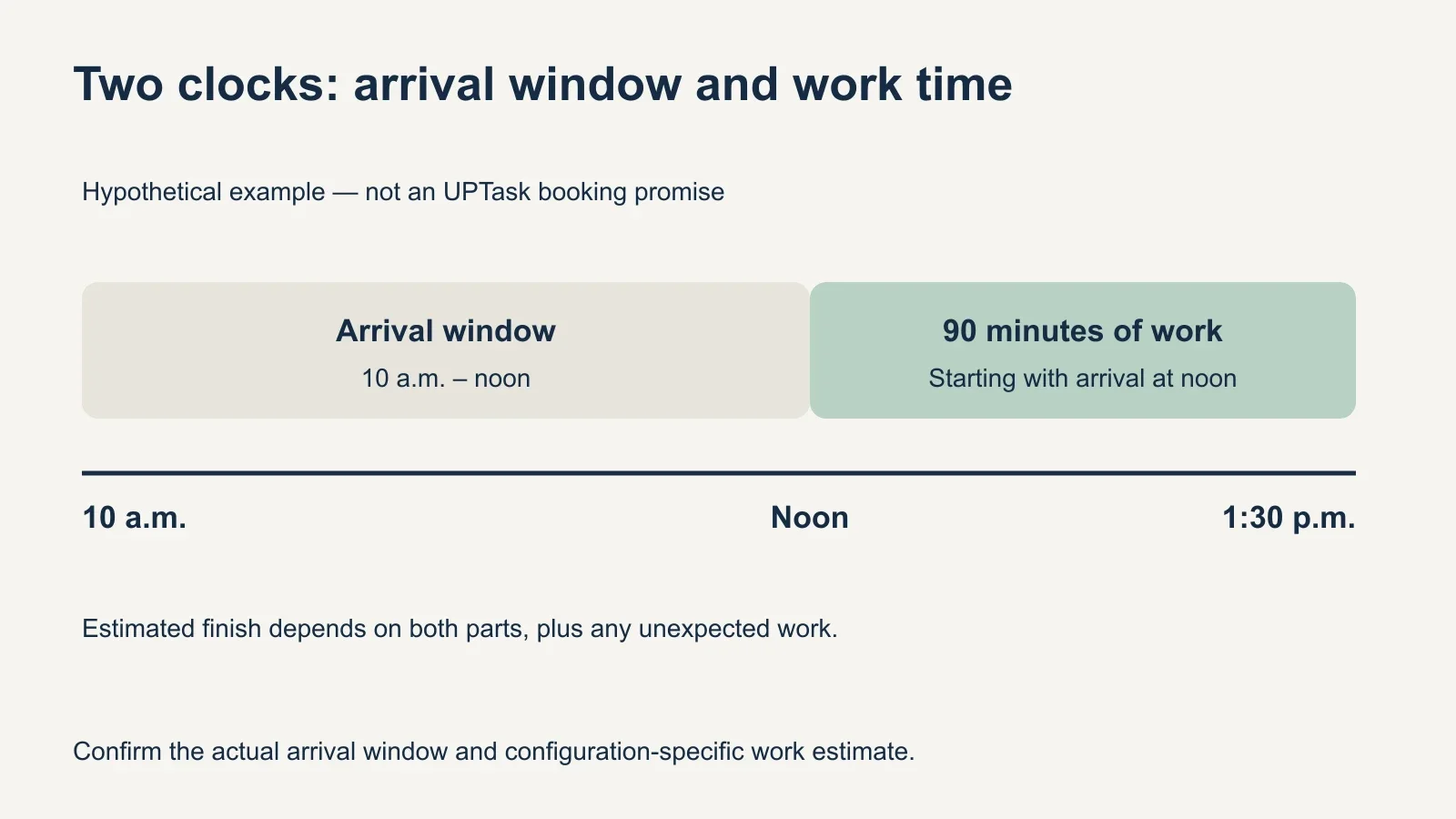
For a hypothetical example, suppose a provider gives a 10 a.m.–noon arrival window and estimates 90 minutes of work. Arrival at noon would put the estimated finish at 1:30 p.m., before allowing for an unexpected issue. That arithmetic illustrates the distinction; it is not an UPTask appointment window or a promised installation length.
The UPTask booking overview explains choosing an available date and arrival window. Same-day availability means a slot may be open; it does not establish that the work will take a particular number of minutes. Make your scheduling decisions from the confirmed appointment details.
What changes as the TV gets larger?
| Screen size example | What to discuss | Why size alone is insufficient |
|---|---|---|
| 32–43 inches | TV model, wall and intended position | A smaller screen can still need unusual wall or cable work. |
| 55–65 inches | Mount compatibility, handling space and device connections | Two TVs of the same size can have different mounts and setups. |
| 75–85 inches | Access route, staging area and planned lifting support | Room access and safe handling may govern the visit. |
| 98 inches and larger | Delivery readiness, dimensions and installer handling plan | Confirm the exact model and site before assuming a standard visit. |
A larger screen needs an appropriate handling plan, but a chart assigning an exact extra ten or twenty minutes to each size would imply more precision than the evidence supports. Screen dimensions, weight and the way the television must be handled are model-specific. Give the installer the model number, not just “a big TV.”
A ready-to-install 85-inch TV on a suitable, accessible wall may present fewer unresolved questions than a smaller TV above a fireplace. Conversely, a large screen that cannot be moved safely through the access route can stop the work before mounting begins. Clear those details before the appointment instead of budgeting only for fastening the bracket.
Wall type and mount design change the work
For the wall, identify what you know and what remains uncertain. A painted surface may cover drywall or plaster; either can conceal a different supporting structure. Brick, concrete, tile and metal-stud walls need the mounting method checked against the actual construction and product instructions. Do not select a wall category based solely on its appearance.
For the mount, distinguish fixed, tilting, full-motion and specialty designs. Their assembly, adjustment and clearance checks differ. A customer-owned bracket also needs compatibility review and its required parts. An existing bracket left by a previous resident is not automatically ready for a different television.
The planning consequence is straightforward: resolve wall and mount questions before asking for a narrow time estimate. If the professional discovers unsuitable construction, missing hardware or a damaged attachment area, the correct next step may be assessment or a different plan. Extra time alone cannot make an incompatible installation acceptable.
Cable work and accessories belong in the estimate
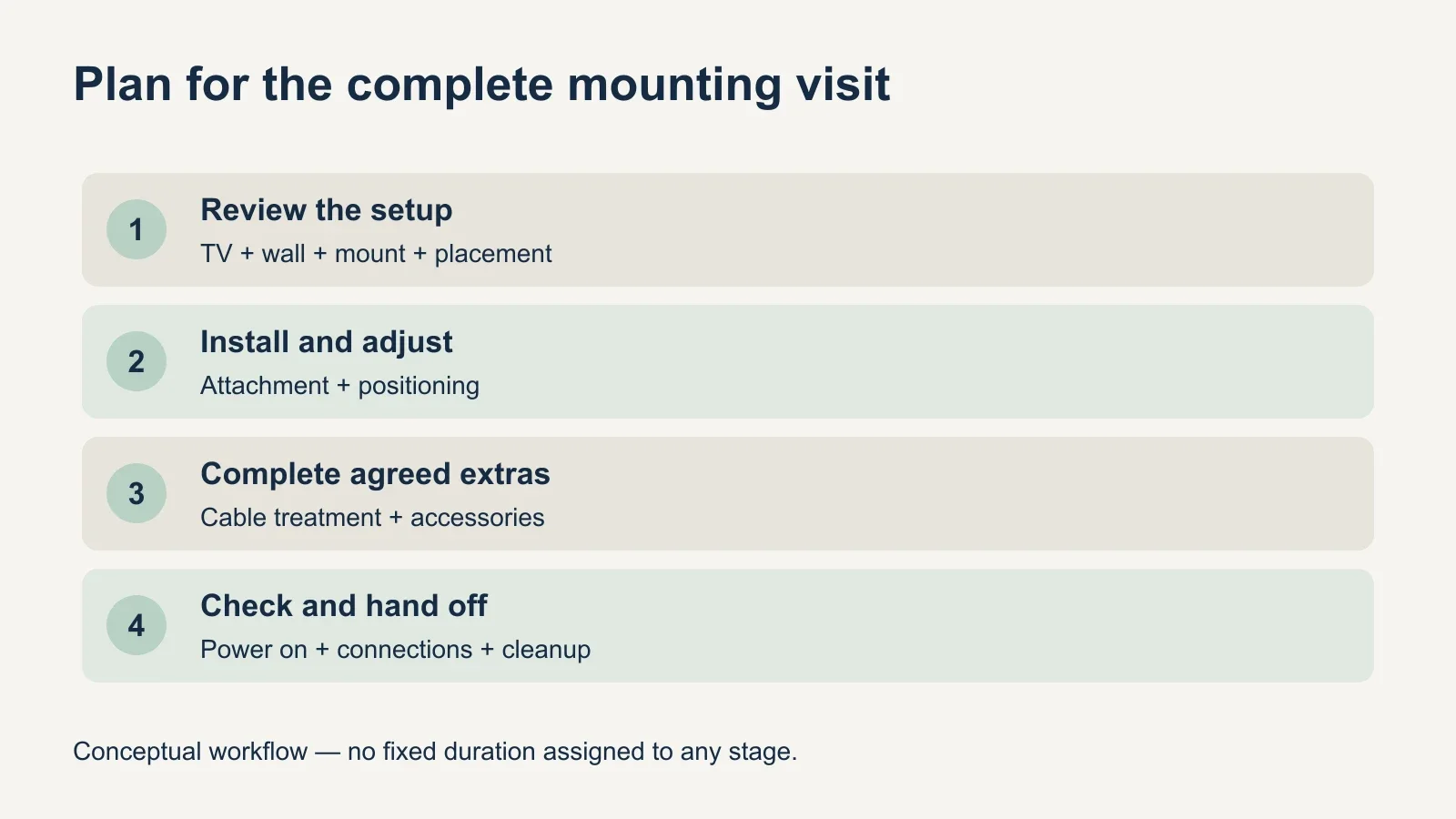
UPTask’s described mounting service includes installing and adjusting a compatible mount, connecting existing devices and cables, powering on the TV, checking the setup and tidying the work area. Those completion tasks take place after the screen is physically on the wall. Ask for an estimate covering the whole agreed service.
A surface plastic cable cover and an in-wall cable route are different scopes. UPTask lists surface covers as an option; other routing and new electrical work need separate assessment. Avoid booking a standard visit and then assuming that opening a wall or adding an outlet fits into the same time allowance.
Soundbar mounting, Frame TV installation and a fireplace position also need to be identified in advance. Include the equipment models and how you want the finished setup to operate. Moving an old TV, removing its bracket, repairing holes or assembling a console should be discussed as additional tasks rather than quietly added to the expected visit.
Prepare the room without starting the installation
- Have the TV, compatible mount and required components available together.
- Send model numbers and photos of the wall, outlet positions and connected equipment.
- Clear a workable route and installation area; arrange help for heavy furniture if needed.
- Identify building access, elevator reservations or restricted work hours.
- Keep existing cables, remotes and device information accessible.
- Confirm how old equipment, packaging and any separately requested tasks will be handled.
Leave packaging and protective handling decisions consistent with the TV manufacturer’s instructions and the installer’s plan. You do not need to predrill holes or partially hang a bracket to save time. A misplaced start can create more work, while a clear area and complete information let the professional begin with the correct setup.
For multiple televisions, provide details for each room. They may share some preparation, but they still need individual checks, attachment and testing. Do not multiply a fast single-TV example by the number of screens and treat the result as a confirmed multi-room schedule.
Get a useful finish-time estimate before committing your day
Ask what the estimate assumes, which tasks it includes and what would require another visit. State any firm departure time before booking. A useful answer should relate to your actual wall and equipment, not an installer’s fastest past job or a customer review describing a different home.
Keep the broad one-to-two-hour reference as an initial planning aid, then replace it with the provider’s estimate for your setup. Allow room in your schedule for the confirmed arrival window as well as the work. If the wall or equipment still needs assessment, resolve that uncertainty before treating a finish time as dependable.
To arrange your visit, review UPTask’s TV mounting service with your TV model, mount, wall photos and selected extras. Confirm the scope and expected time for that configuration before choosing the appointment.