Can You Mount a TV on Brick? What the Installation Requires
A suitable brick wall can support a TV mounting system, but brick type, wall construction and hardware approval matter. Start with assessment before drilling.
Table of contents
Identify what the brick surface is part ofConfirm that the hardware is approved for brickBrick or mortar: follow the approved attachment designOld or damaged brickwork needs assessment firstPlan cables and placement before any holes are madeWhat to prepare for a brick-wall TV appointment
Yes, a TV can be mounted on suitable brickwork using a mounting system approved for the actual wall. First establish whether the visible surface is structural masonry, an anchored veneer or thin brick attached to another backing. Then assess its condition and choose compatible hardware. A bracket rated for the TV’s weight, or a packet labeled “masonry anchors,” does not by itself confirm that the complete installation is suitable.
Identify what the brick surface is part of
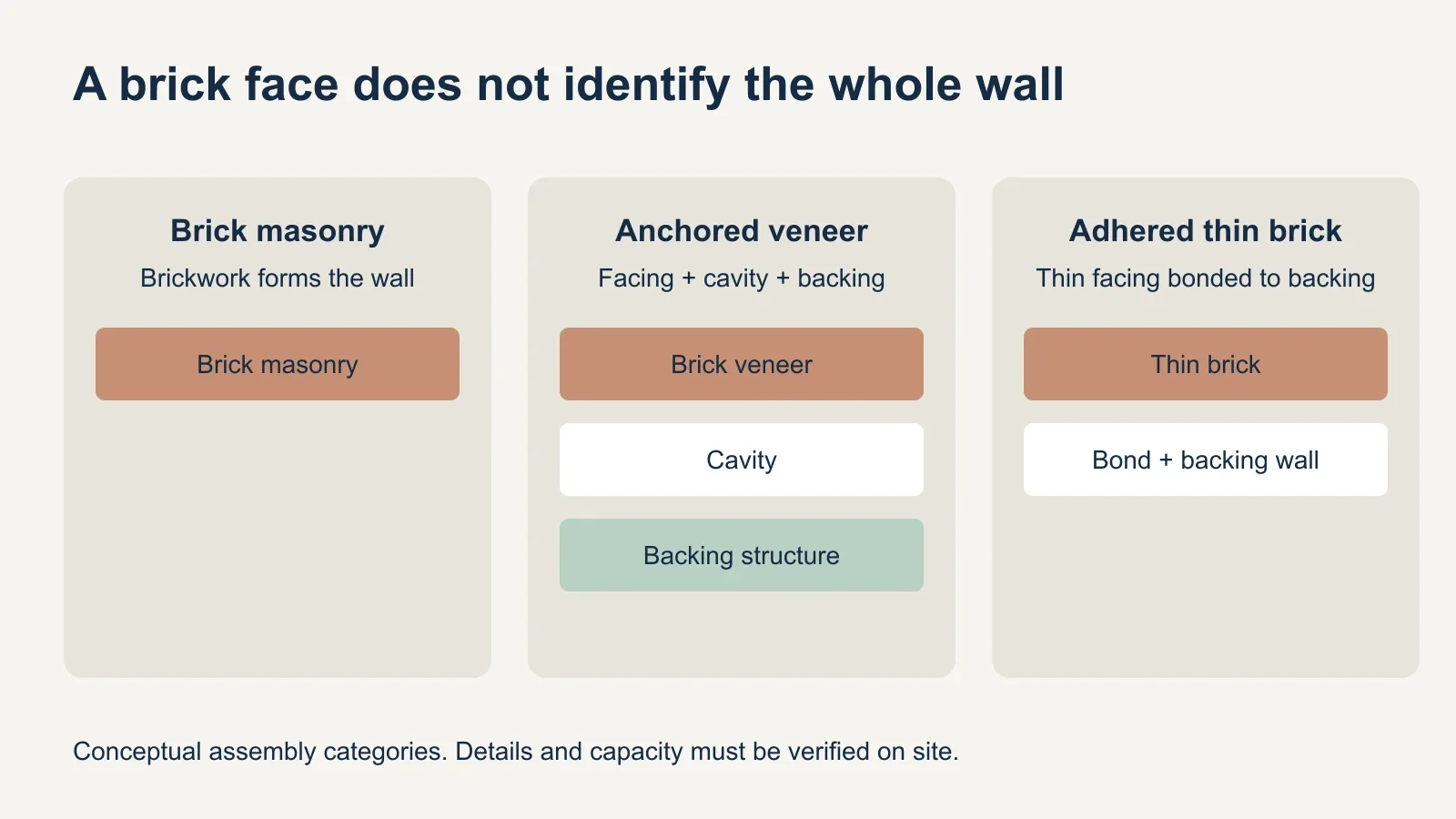
A brick face does not reveal the whole wall. The Brick Industry Association distinguishes anchored brick veneer from adhered thin brick. Anchored veneer is a non-loadbearing wall component connected to a supporting structure. Thin brick depends on its backing and bond. Neither description should be mistaken for confirmation that the visible layer is ready to carry a TV bracket.
Brick units can also be solid or contain hollow cores. That is a different distinction from whether the wall is structural or a veneer: a wall can have full-depth bricks and still be a veneer assembly. Ask about both the units and the construction behind them.
| What may be present | What to verify | Why it affects the plan |
|---|---|---|
| Structural brick masonry | Units, wall thickness and condition | The anchor must suit the verified masonry. |
| Anchored brick veneer | Veneer, cavity and supporting structure | A full brick face does not establish a structural attachment. |
| Adhered thin brick | Thin units, bond and backing wall | The facing alone is not an assumed TV support. |
| Unknown or painted brickwork | Construction and concealed deterioration | Appearance is insufficient for selecting hardware. |
Renovation photographs, wall specifications or information from the building owner can help. Do not identify thin brick by tapping alone, and do not drill a trial hole just to see what happens. When the construction is unknown, have it assessed before purchasing an installation kit.
Confirm that the hardware is approved for brick
Concrete and clay brick are different base materials. A useful example is ECHOGEAR’s EGHWLB hardware pack: its product page explicitly excludes brick TV applications for the included concrete anchors. This is why the concrete-installation section of a mount manual should not automatically be used for a brick wall.
Specialized anchoring systems also distinguish between masonry types. Hilti’s masonry documentation separates solid, hollow and multi-wythe conditions; some published data applies only to particular wall arrangements. That is evidence for careful product selection, not a recommendation to use an industrial anchoring product for every household TV.
- The TV model, weight and mounting-hole pattern fit the bracket.
- The mount manufacturer permits the intended wall construction.
- The anchoring system is approved for the verified brick and assembly.
- The proposed hole layout and mount movement meet the system’s conditions.
- All required components are available and the instructions agree.
If the bracket manual and anchor documentation leave the combination unresolved, ask the manufacturers or a qualified installer before proceeding. Substituting a stronger-looking anchor does not extend a mount’s approval. The correct result may be a different mount, a designed connection to suitable support, or another TV location.
Brick or mortar: follow the approved attachment design
Do not choose a mortar joint merely because a hole there may be easier to conceal later. The attachment location must be permitted by the selected system. A rule from one anchor or one type of masonry cannot be generalized to every brick wall.
Some mounting instructions prohibit fastening into joints, while specialized masonry anchoring systems may have different tested configurations. If the approved instructions require placement in the brick unit, moving the hole into a joint changes the installation. If the intended layout cannot meet the requirements, revise the plan instead of improvising the hole position.
This also explains why a universal drill-bit size or hole depth is not useful here. The fastener, base material, required embedment, spacing and distance from edges belong to one specified system. Those details should come from its instructions and the site assessment, not from a generic TV-size chart.
Old or damaged brickwork needs assessment first
Simpson Strong-Tie notes that brick can be hard and brittle, while some older clay brick is soft and vulnerable to over-drilling. A wall that looks substantial may therefore still present anchoring difficulties. The installer needs to evaluate the attachment area rather than assume all exposed brick performs alike.
Flag loose units, cracked faces, crumbling joints, moisture damage and old mounting holes before the visit. These are observations to investigate, not a diagnosis that every old wall needs rebuilding. If repair or structural review is needed, establish that scope before scheduling the final mounting work.
Plan room protection and dust control as part of the job. Keep the television and electronics away from masonry debris, clear the work area and agree on cleanup. The professional should use the drilling and hole-preparation method required for the selected system; a hammer setting is not a universal answer for every masonry condition.
Plan cables and placement before any holes are made
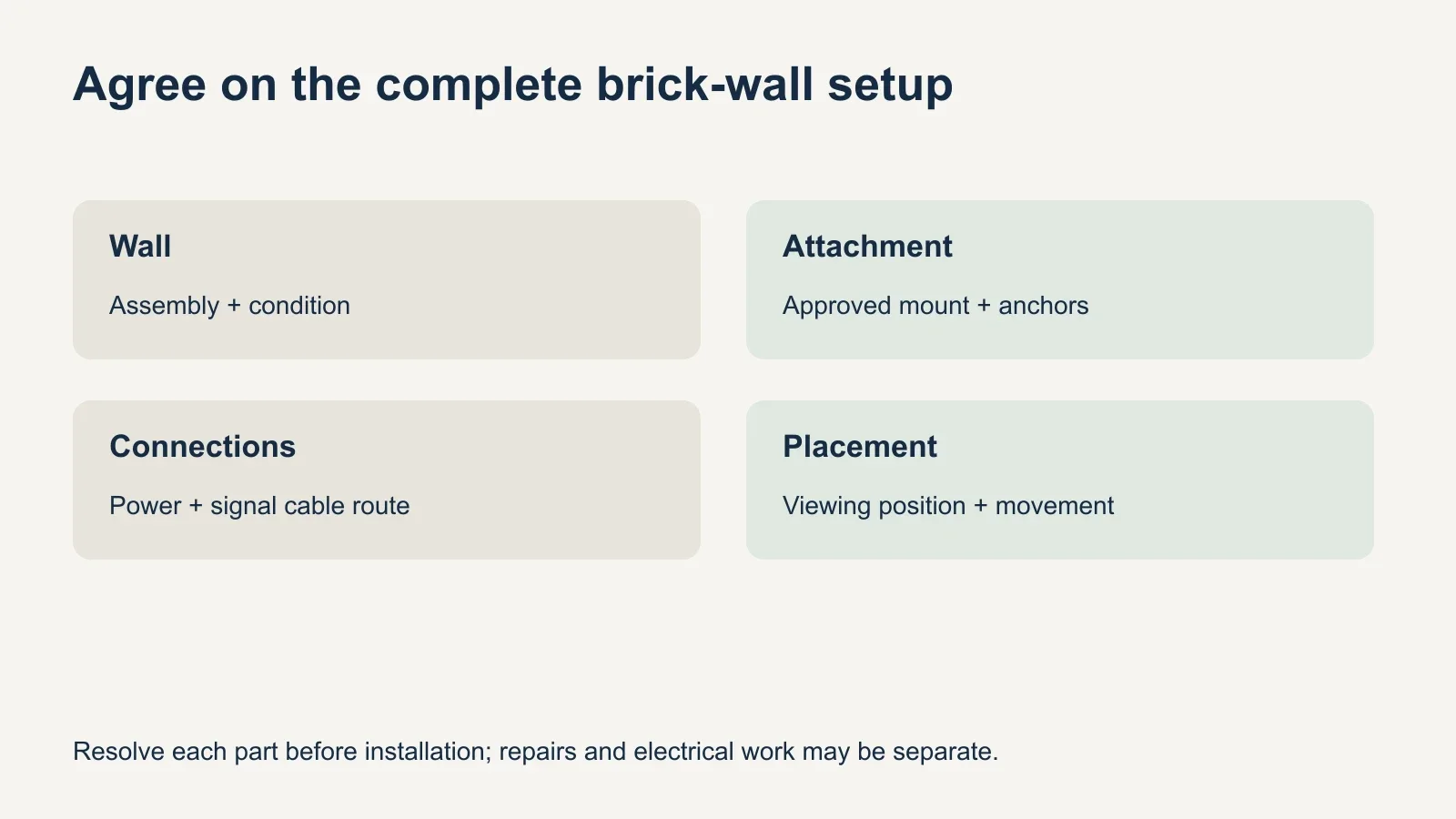
A brick surface may not offer the open cavity expected behind a framed wall. Decide where power and signal cables will run before finalizing the screen position. UPTask lists surface plastic cable covers as an option; in-wall routing or a new outlet needs separate assessment. A clean appearance should be planned as a defined scope.
Check the viewing position from the seats you actually use. Account for access to ports, the console and any soundbar. If the TV will swivel or extend, that movement belongs in the attachment and cable-clearance plan rather than being added after a fixed-mount location has been selected.
A brick fireplace adds another question beyond masonry attachment: whether the location is compatible with the fireplace and television’s heat and clearance requirements. A secure bracket does not answer that question. Have the appliance instructions and location assessed before treating the space above a fireplace as an ordinary brick feature wall.
What to prepare for a brick-wall TV appointment
- Send the TV and mount model numbers, plus photos of the complete wall.
- Share any known wall construction, renovation records or prior mounting details.
- Photograph damage and identify the preferred screen position.
- Explain the cable route, devices and accessories you want included.
- Confirm property permissions and whether wall assessment or repairs come first.
Ask what is included if the wall proves unsuitable for the planned system. It is better to establish the next step before work begins than to expect every unknown condition to be solved during one standard visit. Keep any reinforcement, masonry repair or electrical work clearly identified in the agreed scope.
To discuss a suitable configuration, review UPTask’s TV mounting service with your equipment and wall details. Brick can be a workable mounting location when the construction, condition and complete attachment system have been confirmed.