TV Mounting Cost in 2026: Price by TV Size, Wall Type & Mount
UPTask’s online base prices range from $99 to $159. See how your wall, supplied mount, cable routing and optional work change the estimate.
Table of contents
Start with the price for your TV sizeAdd the wall or location option that matches the jobSeparate the mount purchase from the installation priceDistinguish surface cable covers from work inside the wallIdentify specialty TVs, fireplaces and soundbarsCompare complete configurations with simple arithmeticPrepare the details for an accurate estimate
UPTask’s Bay Area TV mounting base price ranges from $99 to $159 online, depending on screen size. A supplied tilting mount adds $69; a supplied full-motion mount adds $99. Wall type, cable covers and extras can increase the total further. For example, a 65-inch TV with a supplied full-motion mount, brick or concrete wall selection and plastic cable covers adds up to $306 using the listed options.
These prices were checked October 9, 2026, with Sunnyvale selected on the website. They describe UPTask’s displayed service options, not a national average or a quote for every installation. Confirm the configuration for your address and discuss any work outside those options before booking.
Start with the price for your TV size
| TV screen size | Online base price | Examples in this bracket |
|---|---|---|
| Up to 42 inches | $99 | 32-inch or 40-inch TV |
| 43–75 inches | $129 | 55-inch, 65-inch or 75-inch TV |
| 76–85 inches | $139 | 77-inch or 85-inch TV |
| 86 inches and larger | $159 | 86-inch or 98-inch TV |
Use the TV’s advertised screen size to select the bracket. The current online figures already reflect the displayed $30 online savings; do not subtract that discount again. A 75-inch TV and an 85-inch TV fall into different brackets even if you plan to place them above the same console.
The base service covers mounting and adjustment, connection of existing devices and cables, a power-on check and tidying the work area. It assumes that you provide the television. A compatible mount you already own can be used, or you can select a supplied mount as an extra. The base price does not include buying the television.
Screen size determines this starting bracket, but it does not describe the whole installation. A larger screen on a straightforward wall can have a lower configured price than a smaller screen with a supplied mount and additional work. Build the estimate from the actual selections instead of comparing two headline starting prices.
Add the wall or location option that matches the job
| Option | Displayed addition | What to clarify |
|---|---|---|
| Drywall | $0 | Confirm the actual wall and mount compatibility. |
| Brick / concrete | +$39 | Identify the construction, not just the surface appearance. |
| Tile wall | +$80 | Share photos and information about the wall behind the tile. |
| Commercial location | +$90 | Review special wall conditions and access together. |
| Supplied tilting mount | +$69 | Confirm compatibility with the TV model. |
| Supplied full-motion mount | +$99 | Confirm compatibility and the movement you need. |
| Plastic cable covers | +$39 | Surface routing; electrical work is a separate scope. |
The booking flow presents drywall, brick/concrete, tile and commercial location as choices within one selection. Do not automatically add the commercial amount to another wall amount. If a conference room has a tile wall, or another combination does not fit neatly into the choices, ask UPTask to confirm the appropriate scope and price.
A wall finish is useful information, but a photo of the finish may not establish what supports it. Send any available construction details along with a wider photo showing the intended TV position. The installer can then review the site and product requirements. Selecting an option is not confirmation that every location on that wall is suitable.
Access can also change the planning discussion. Note stairs, elevator arrangements, restricted working hours and anything obstructing the installation area. This guide does not assign an invented fee to those conditions; disclose them so the provider can confirm whether they affect the work or appointment.
Separate the mount purchase from the installation price
Choosing “I have my own” adds no mount-supply charge in the current calculator. That is useful when you already have a compatible product, but it is not a guarantee that any old bracket can be reused. Share both model numbers and the available hardware before relying on that selection.
Check the mount’s specified screen range, weight capacity and mounting-hole pattern against the TV. VESA refers to a standardized mounting-hole pattern; matching only the screen size is not a complete compatibility check. Also review the exact mount instructions for the proposed wall. Do not assume a label such as “universal” removes those checks.
A fixed mount holds the screen in a set position. A tilting mount adds angle adjustment; a full-motion mount can extend and swivel as well as tilt, within its model-specific limits. Decide which movement you need from the seating positions and available space. A more expensive movement option is not automatically the right choice for a room.
UPTask currently offers a supplied tilting mount for $69 or a supplied full-motion mount for $99. The $30 difference is between those two supplied options; it is not a separate labor surcharge to apply to every customer-owned full-motion mount. Confirm the actual product and fit instead of assuming the calculator identifies a specific brand or model.
Distinguish surface cable covers from work inside the wall
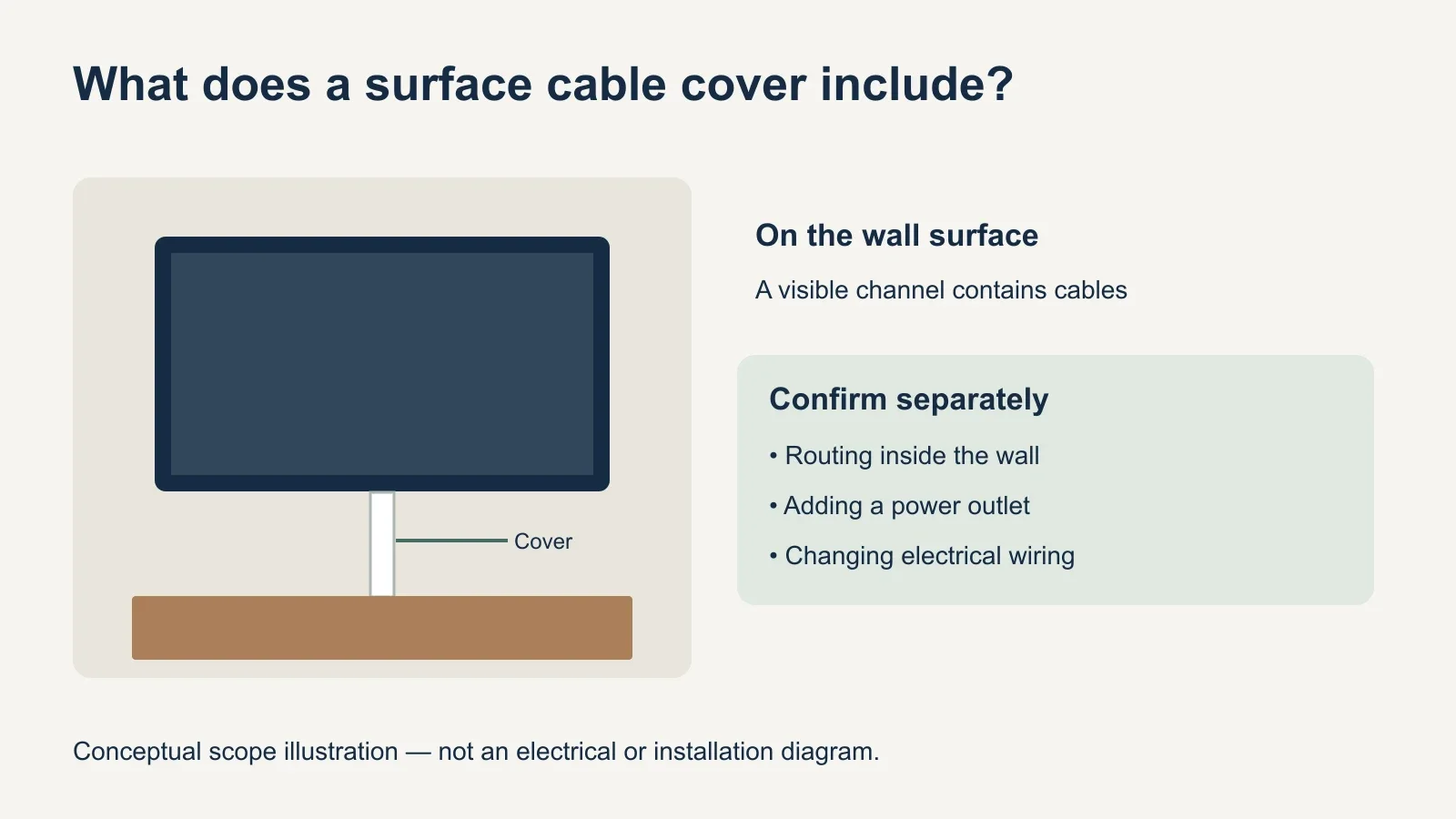
The $39 cable option is a plastic cover along the wall surface. It can organize the visible route from the TV toward your equipment while leaving the cover itself visible. The no-concealment option adds no charge, so decide whether the appearance of the exposed cable route is acceptable before selecting an upgrade.
Routing cables inside a wall, adding an outlet or changing electrical wiring requires a separate discussion. Those tasks are not described by the plastic-cover option. Identify where power and connected devices are located, then confirm the intended route and any additional work with the appropriate provider before installation.
Think through all the devices you expect to reconnect: a streaming player, game console and soundbar may have different positions and connections. Have your existing cables available and explain where the equipment will sit. Connecting existing equipment is different from supplying new accessories or designing a complete home-theater system.
Identify specialty TVs, fireplaces and soundbars
The current extras screen lists Frame TV installation at an additional $30, mounting over a fireplace at an additional $30 and soundbar mounting at an additional $39. These are separate selections, so include every applicable task when reviewing the estimate. The public service page presents these additions as starting amounts; confirm unusual configurations directly.
For a Frame TV, share the exact TV model, its mounting components and the planned location of any separate connection equipment. For a soundbar, identify the soundbar and mounting hardware. The option price should not be read as including the purchase of the soundbar or every accessory a particular arrangement might require.
A fireplace selection also needs a location review. Ask the installer to assess the proposed position against the TV, mount and fireplace instructions, including heat and clearance requirements. Paying the listed addition does not establish that a particular fireplace wall is suitable. If the position cannot meet the product requirements, discuss another location.
If the room also needs a new console assembled, treat TV stand assembly as a separate furniture task. Likewise, disclose an old mounted TV that needs removal, holes needing repair or other work outside the listed mounting scope. Get those tasks addressed explicitly instead of assuming they come with a new installation.
Compare complete configurations with simple arithmetic
Example 1: a 65-inch TV, compatible customer-owned mount, drywall and no cable concealment. The listed online base is $129, with no added amount for those selections. This is the simplest of these examples; it does not include removing an old installation, buying equipment or any separately assessed work.
Example 2: the same 65-inch TV, supplied full-motion mount, brick/concrete selection and plastic cable covers. The calculation is $129 + $99 + $39 + $39 = $306. Keeping the screen size the same makes it easy to see that the additional $177 comes from three selected options, rather than a different TV-size bracket.
Example 3: an 85-inch TV, drywall, supplied tilting mount and plastic cable covers. The calculation is $139 + $69 + $39 = $247. This larger TV has a lower configured amount than Example 2 because its wall and mount selections differ. Comparing screen size alone would miss that distinction.
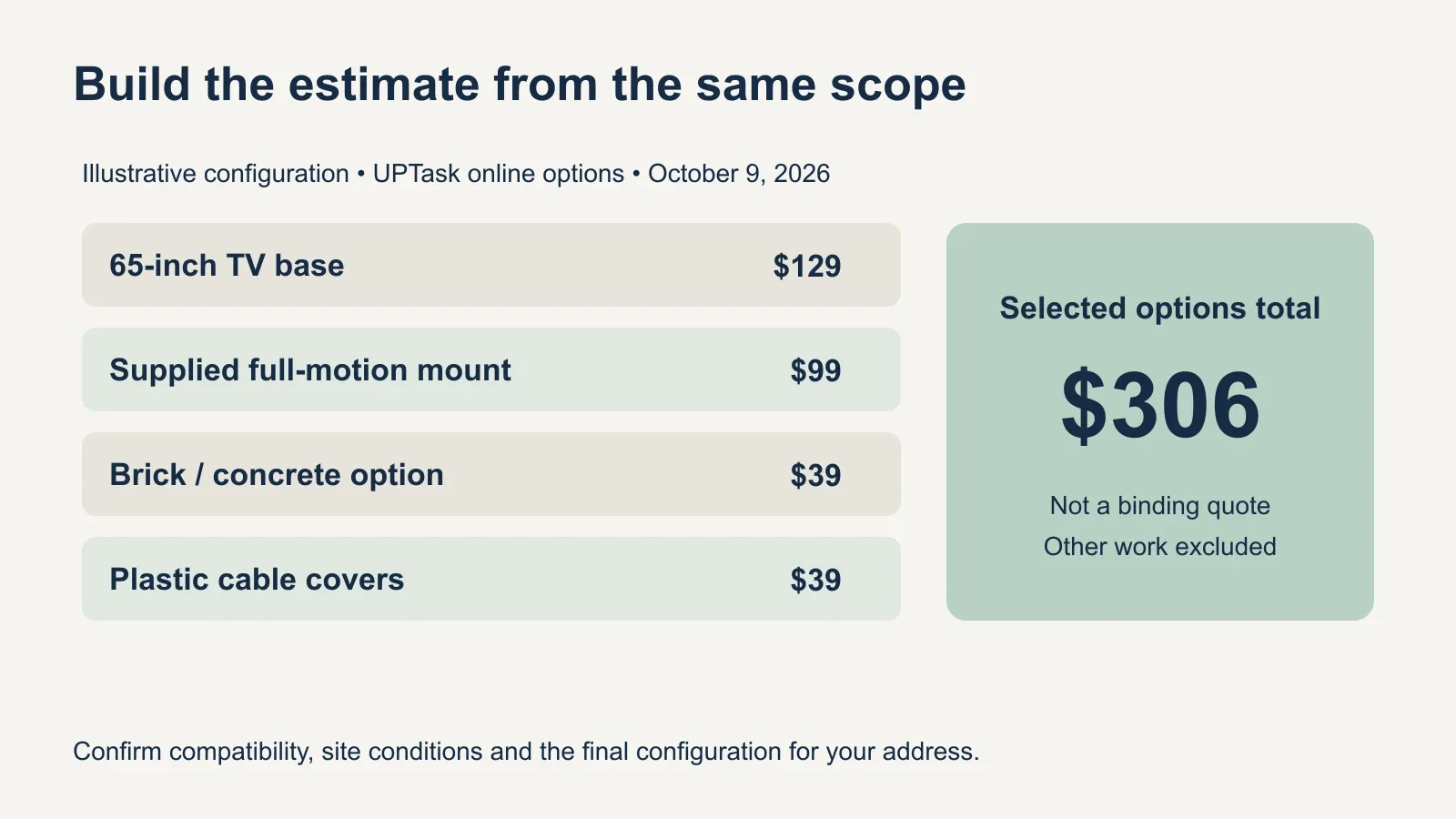
These examples are hypothetical combinations, not completed customer projects or binding quotes. They exclude extras that were not selected. When comparing providers, use the same TV, wall, mount and cable plan, then check what each figure includes. A quote that supplies a mount cannot be compared fairly with labor alone without accounting for that difference.
Prepare the details for an accurate estimate
- Record the TV model and screen size.
- Provide the mount model, or choose a supplied mount for compatibility review.
- Photograph the full wall, intended position, nearby power and equipment.
- Identify the wall or commercial location and any access restrictions.
- Choose the cable route and list specialty work, removals or repairs.
- Review the itemized price and included tasks for your address before booking.
The most useful preparation is a complete description of the setup. A clear photo and two model numbers can answer more than an estimate based only on “a large TV.” Keep the TV, mount components and existing cables available, and confirm any prerequisites before arranging the installation visit.
To plan your installation, review UPTask’s TV mounting service with your screen size, wall details and preferred mount. Confirm the cable treatment and any additional tasks so the selected price reflects the setup you want.