Can You Mount a TV on Metal Studs? What Changes vs Wood Studs
Yes, a suitable steel-stud wall can support an approved TV mounting system. The wall assembly, mount and hardware must be assessed together.
Table of contents
The wall surface does not identify its framingWhat changes compared with mounting into wood?Read the kit requirements as a complete setFull-motion mounts need a separate compatibility checkWhen the wall needs more than a hardware changeWhat to send before booking TV mounting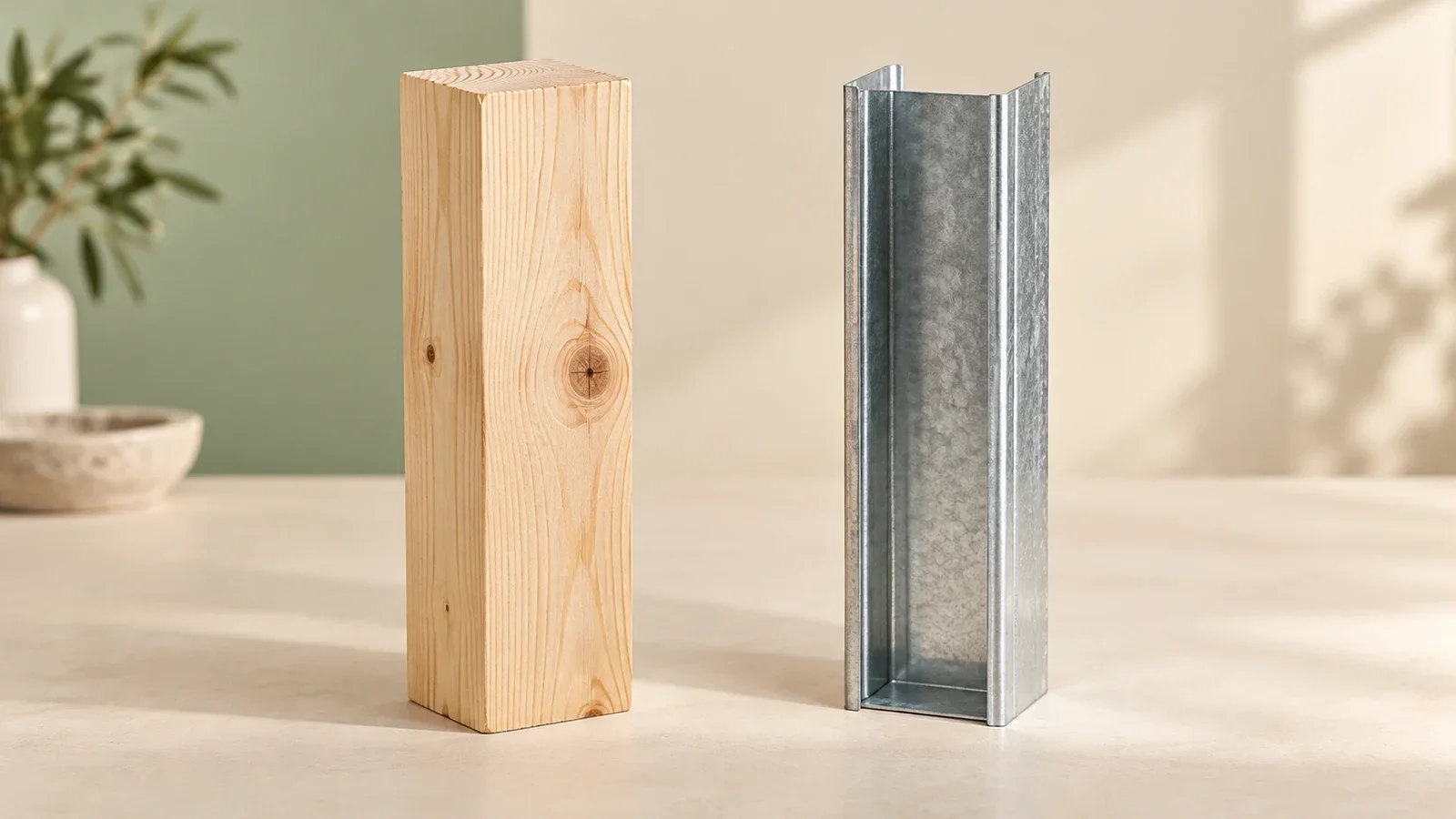
Yes, you can mount a TV on a suitable metal-stud wall when the complete mounting system is approved for that construction. The important difference is how the bracket transfers its load into the wall. Hardware intended to grip solid wood cannot simply be treated as steel-stud hardware. Confirm the wall assembly, TV, mount and attachment method together before buying a kit or choosing a final screen position.
The wall surface does not identify its framing
Drywall is the visible wallboard layer in many rooms; a stud is part of the framing behind it. A painted drywall surface can cover wood or steel framing. Calling a wall “drywall” therefore does not answer the mounting question, and a room photograph cannot establish the thickness or condition of its hidden studs.
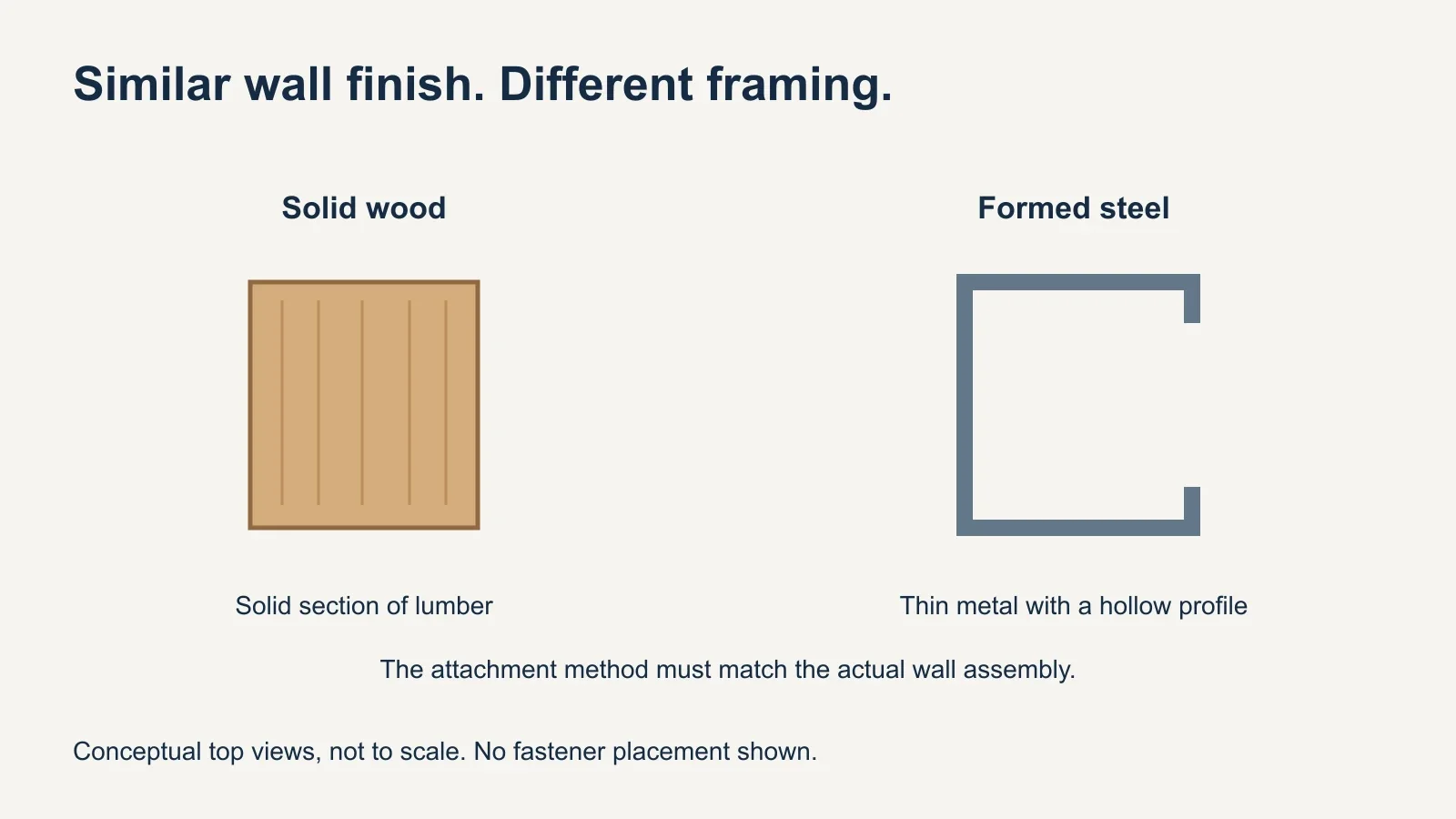
A typical wood stud provides a solid section of lumber. A light-gauge steel stud is a formed sheet-metal section with a hollow profile. Those shapes call for different attachment details. The distinction is not that every wood wall is strong and every steel wall is weak: each installation depends on the actual construction and the requirements of the selected system.
Building records or information from the property manager can help identify the assembly. An installer still needs to verify the attachment locations and check for concealed services before drilling. A stud-finder signal alone does not establish that the wall meets a mounting kit’s requirements.
What changes compared with mounting into wood?
| Decision | Wood-stud wall | Steel-stud wall |
|---|---|---|
| Wall attachment | Use the specified wood attachment method. | Use a system explicitly approved for steel framing. |
| Wall verification | Confirm sound framing and required dimensions. | Confirm stud profile, gauge and the required wall assembly. |
| Mount compatibility | Check the exact mount’s permitted construction. | Check both the mount and any steel-stud accessory. |
| Existing hardware | Do not assume old screws fit a new installation. | Do not substitute a wood hardware pack or generic anchor. |
The wood-installation page in a mount manual does not become a steel-installation page when different screws are added. If the manual lists only wood and masonry, ask the manufacturer whether an approved steel-stud accessory exists for that model. “Universal TV mount” commonly describes screen compatibility; it does not promise compatibility with every wall.
Similarly, a box of anchors is not a complete design. The wall plate’s hole pattern, stud locations and any accessory plate must work together. A mounting location centered over a console may not align with an approved attachment layout. Discuss that conflict before settling on the television’s exact position.
Read the kit requirements as a complete set
The SANUS SSMK1 manual illustrates why the details matter. It names compatible mount models and gives requirements for the steel studs, drywall on both sides and available space behind the wall. These are conditions of that product’s installation, not a checklist that automatically approves another brand or a different wall.
An unfinished reverse side, an unknown stud gauge or an obstructed cavity can change whether a particular kit is usable. The installer should resolve those questions against the current instructions. Do not copy a hole diameter or bolt length from a video unless it belongs to the exact product and verified assembly being installed.
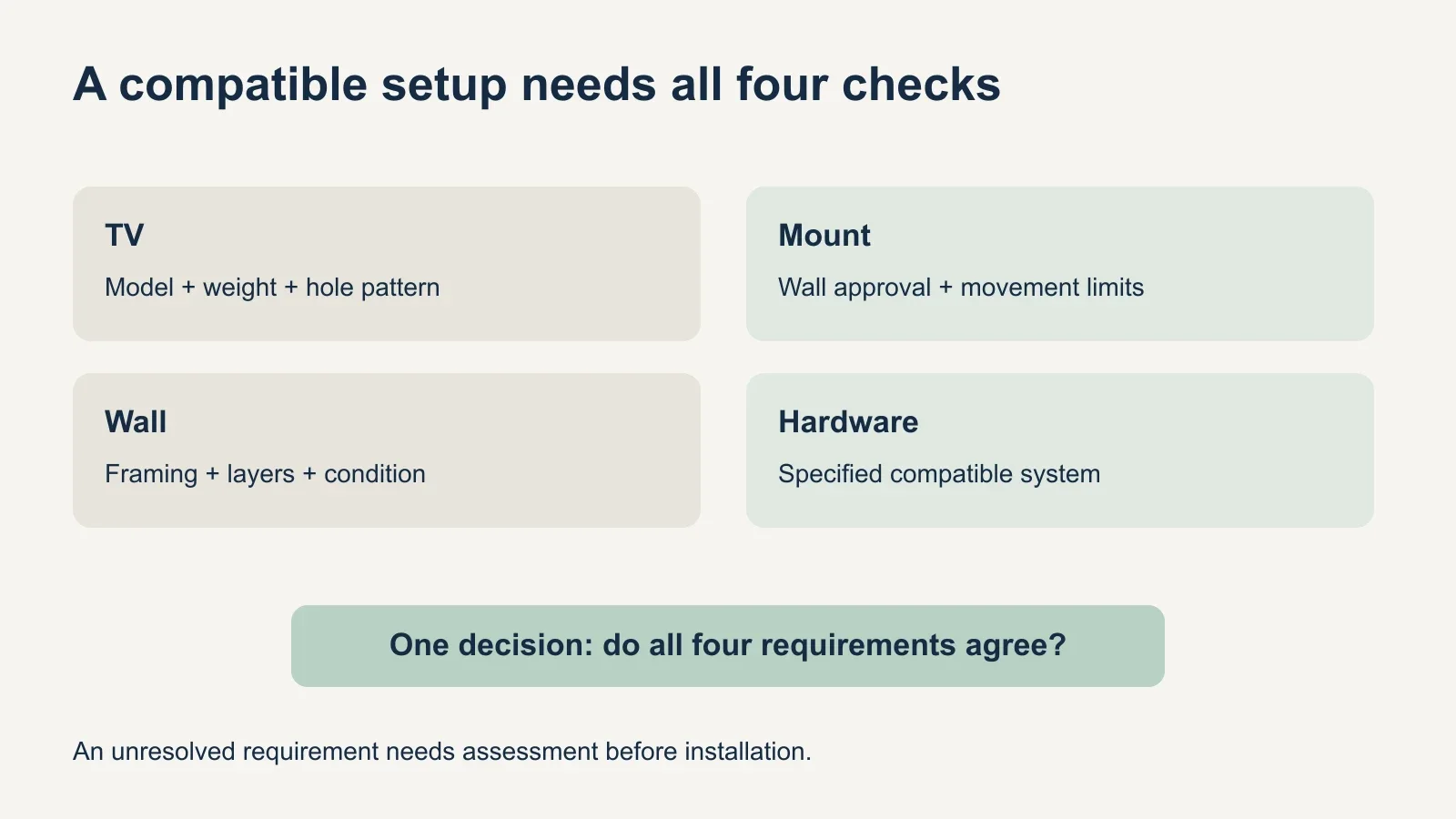
- TV: exact model, mounting-hole pattern and weight without the stand.
- Mount: model, permitted wall types, movement and load limits.
- Wall: verified framing, finish layers, condition and attachment locations.
- Hardware: the specified kit or accessory, used within all of its conditions.
Treat those four checks as one compatibility review. The TV being lighter than the bracket’s advertised rating answers only one part. Adding up individual anchor ratings also does not establish the capacity of a wall-mounted system. Use the manufacturer’s approved configuration rather than inventing a total from the number of fasteners.
Full-motion mounts need a separate compatibility check
A full-motion arm changes the screen’s distance from the wall as it extends. That makes its attachment requirements a separate question from those for a fixed or tilting bracket. Do not assume that leaving an arm folded most of the time makes an incompatible installation acceptable.
For a concrete example, ECHOGEAR’s EGHWSS kit is limited to tilting and low-profile fixed mounts. SANUS also describes its SSMK1 kit for tilt or fixed installations and warns against using it with full-motion mounts. These restrictions apply to those products; they are not approval criteria for an unrelated accessory.
If an articulating screen is essential, have the manufacturer or a qualified installer identify a system supported for that particular wall and use. The answer may involve a different bracket, a designed support arrangement or a different location. A stronger-looking bolt is not evidence that the proposed combination is suitable.
When the wall needs more than a hardware change
Some setups need a designed plate spanning multiple studs or reinforcement assessed for the intended load. Peerless-AV’s installation guidance discusses spreading loads across studs with a plate designed for that purpose. The appropriate arrangement depends on the product and wall; there is no universal number of studs that makes every installation acceptable.
If reinforcement requires opening the wall, separate that work from the TV mounting appointment. Confirm who will assess and perform it, how the surface will be restored and when the mount can be installed. Ask the property manager about required permissions before changing a shared or rented wall assembly.
A useful fallback may be a different suitable wall or a manufacturer-compatible TV stand. Decide based on the verified options rather than treating an unconfirmed wall as a challenge to solve with more anchors. The intended result is a supported setup that can be used as designed.
What to send before booking TV mounting
- Share the TV and mount model numbers, plus the mount manual if available.
- Send wide photos of the wall and close-ups of any existing bracket or wall damage.
- Explain what is known about the framing and who can provide building information.
- State whether you need tilt, swivel or extension, and where you want the screen.
- List cable treatment, soundbar placement and any other requested work.
Keep unknown details labeled as unknown; there is no need to drill exploratory holes before the visit. Ask whether wall assessment is needed before the installation can be confirmed. Also distinguish surface cable covers from in-wall routing or a new outlet, which can require a different scope.
When reviewing UPTask’s TV mounting service, provide the wall and equipment details before confirming the configuration. Steel framing does not automatically rule out mounting, but compatibility should be settled before the television goes on the wall.