
Standing Desk Wobble: What to Check at Standing Height
Identify whether the screen, desktop, frame or feet are moving. Compare normal use at two heights and check the setup in a clear order.
Table of contents
Separate monitor shake from movement of the deskCompare the same task at two working heightsCheck floor contact before changing the frameInspect the specified assembly connectionsReview the desktop, equipment and cable layoutDecide whether to adjust, request support or replace
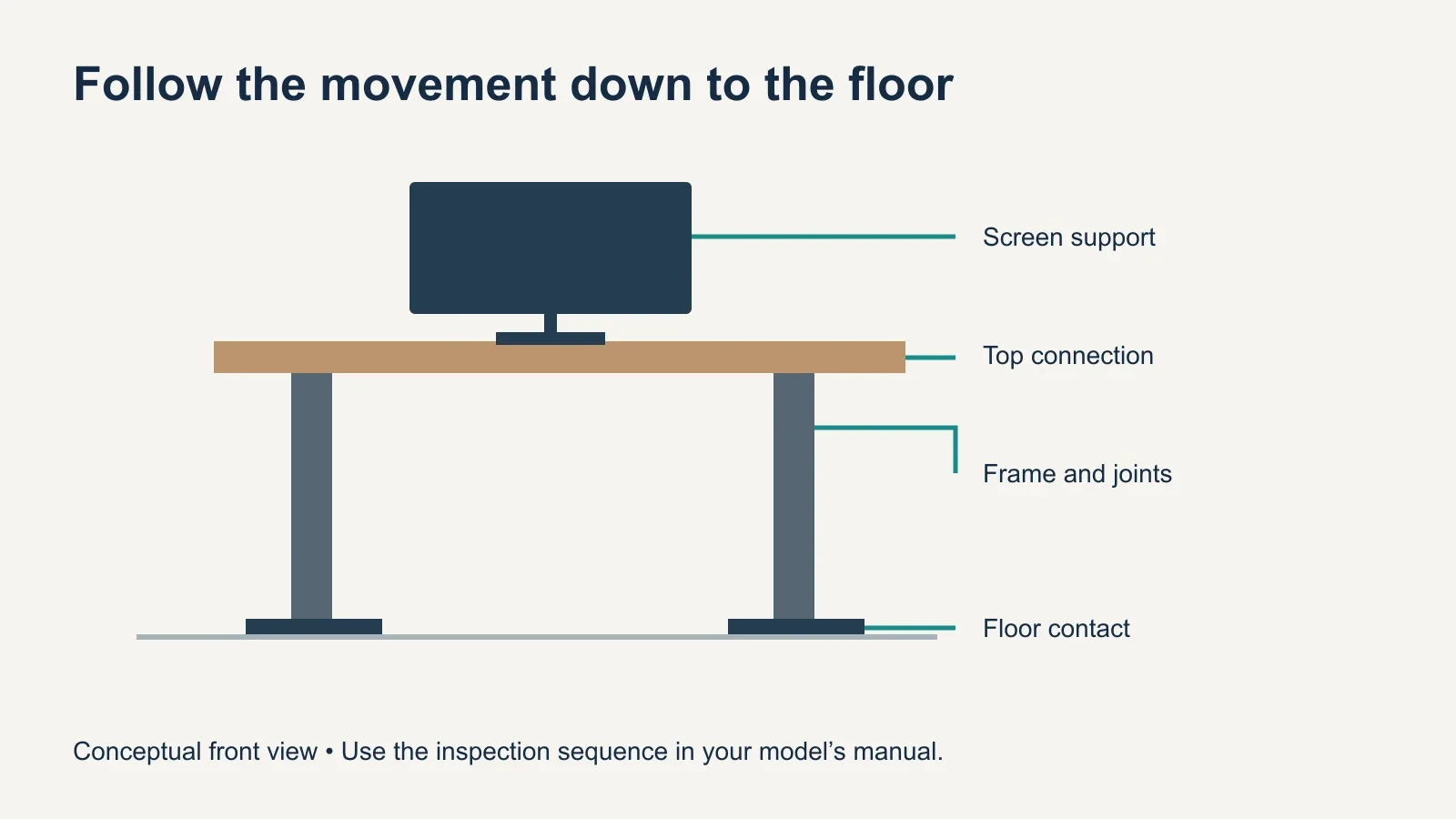
If your standing desk wobbles, first identify what moves: the screen, the desktop, the frame or a foot against the floor. Compare normal use at sitting and standing height, then check floor contact and the assembly points specified in your desk manual. A weight rating does not promise a motionless desk, and an electronic reset does not automatically fix a loose mechanical connection.
Separate monitor shake from movement of the desk
Watch the desk during an ordinary task that brings on the problem, such as typing or moving the mouse. Note whether the desktop edge moves along with the screen. If the screen shakes while the surface appears steady, the monitor stand or arm deserves attention. If the entire work surface moves, investigate the desk and its contact with the floor.
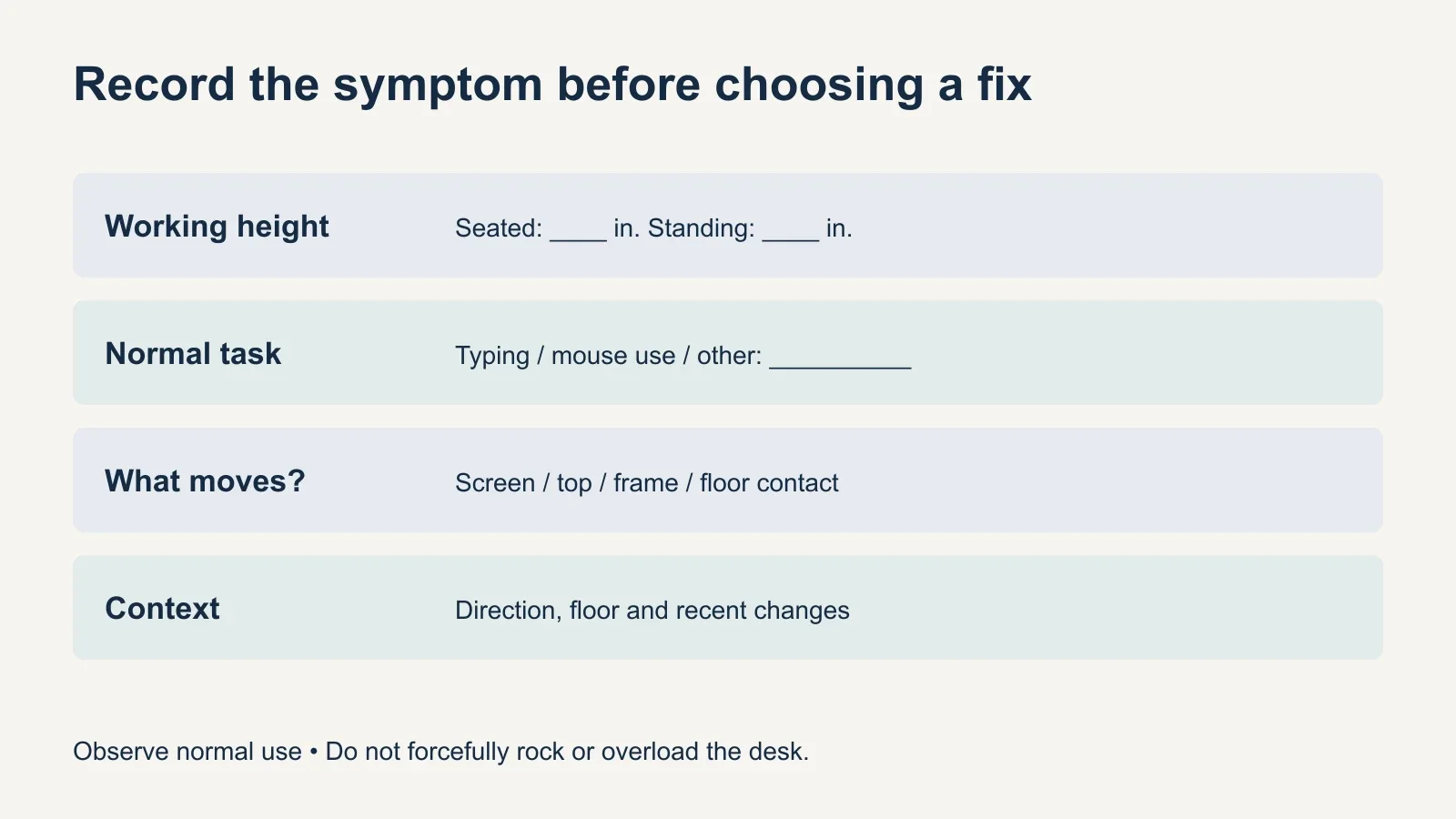
Do not test stability by forcefully rocking the desk, hanging from the edge or adding extra weight. Those actions do not reproduce ordinary work and can worsen a fault. A short video taken from a fixed position is more useful for support than a description such as “very wobbly.” Include the feet and desktop in the frame if possible.
Stop using the setup if you see a cracked component, a separating connection, a foot lifting unexpectedly during normal use, or a tabletop that is no longer securely attached. Smoke, a burning smell, damaged electrical cables or abnormal electrical behavior need manufacturer guidance, not a stability experiment. Avoid moving or unloading an unstable heavy setup without appropriate help.
Identify the exact desk frame and desktop, including aftermarket components. The instructions for a two-leg frame may differ from those for a three- or four-leg version. Keep the original manual available rather than following a fastener count or adjustment sequence borrowed from a visually similar desk.
Compare the same task at two working heights
A desk may feel acceptable while seated and noticeably more flexible when raised. Taller positions can make movement at a connection more apparent. Record the height that matters to you: your actual standing position. A demonstration at the lowest or highest possible setting may say little about the height where you type each day.
Keep the equipment and normal task unchanged for the comparison. Note front-to-back movement separately from side-to-side movement, and distinguish a brief screen vibration from the whole desk shifting. Do not assign a universal acceptable number of inches or seconds; the desk design, task and manufacturer’s assessment determine what the observation means.
| What you notice | Check next | What it does not prove |
|---|---|---|
| Movement mainly when raised | Compare the same task at your seated and standing heights. | Height alone does not identify a loose bolt. |
| Movement mainly in one direction | Record the direction; inspect floor contact and the specified frame connections. | One direction is not automatically safe. |
| Problem began after moving the desk | Check the new floor location, feet, cables and any disturbed connections. | The motor does not necessarily need resetting. |
| Problem began after adding a monitor arm | Observe the screen, arm, attachment area and tabletop separately. | A vibrating screen does not prove the whole frame is defective. |
Write down when the issue began. “After moving from a wood floor to a rug” and “after changing the desktop” lead to different checks. If the setup has always behaved this way, the question may be whether the frame suits your working height and equipment, rather than which new fault appeared.
Check floor contact before changing the frame
Look at every foot and leveling pad. A foot straddling the edge of a rug, a cable trapped underneath, or an uneven floor can create a different support condition on each side. Check the full footprint, including rear pads that are easy to miss from the front of the desk. A level desktop and secure contact at every support point are related but separate observations.
Use only the leveling adjustment described for your model. UPLIFT, for example, offers threaded leveling glides for small corrections on uneven floors. That is a model-specific adjustment, not permission to extend another desk’s feet without limit. Keep enough engagement and follow the maker’s instructions; do not compensate with a stack of loose objects under a foot.
If the desk stands on carpet, distinguish the pile compressing from an actual gap under a support. Ask the manufacturer whether its feet or approved accessories suit that surface. Casters also change the support arrangement. Verify that they are approved for the frame and used as instructed rather than assuming a locked wheel behaves exactly like a fixed leveling foot.
Check the surrounding furniture while the desk moves through its normal range. A cabinet, windowsill or wall can contact the top at one height and make the desk seem steady until it rises past the obstruction. Do not use an adjacent surface as an improvised brace; maintain the clearances required for safe height adjustment.
Inspect the specified assembly connections
Follow the manual’s preparation steps before checking fasteners, including any requirements to remove equipment, change position or disconnect power. Do not reach into moving parts or operate the lift while someone is inspecting the frame. If access requires tipping a heavy desk, arrange suitable help and protect the top and controls.
UPLIFT’s stability troubleshooting identifies the desktop-to-frame screws, foot-to-column bolts and upper frame connections as places to check on its desks. The useful principle is to inspect the complete support path. The exact number of bolts, tightening sequence and tools must still come from the instructions for your own frame.
A fastener that will not tighten normally, a stripped hole or a damaged bracket is different from a correctly fitted fastener needing the prescribed adjustment. Do not use a longer screw, drill an extra hole, add an unapproved brace or force a joint into place as a generic wobble fix. Ask for the correct replacement or repair procedure.
Keep electronic troubleshooting separate. A reset can be appropriate for a height-control or calibration problem when the manufacturer directs it. It does not tighten a frame bolt, repair a cracked panel or restore missing floor contact. If the desk also rises unevenly or shows an error code, report that alongside the wobble instead of treating the two symptoms as interchangeable.
Review the desktop, equipment and cable layout
Check the frame’s permitted desktop dimensions and load requirements, especially after replacing the top. Include everything carried by the desk when assessing its specified load: screens, arms, accessories and other equipment, with the desktop itself counted when the manufacturer requires it. Staying within the load rating is necessary but is not a guarantee of comfortable stability.
Record where heavy equipment sits and whether it was recently moved. A large item near an edge or an extended monitor arm changes how the setup behaves. Follow the makers’ permitted placements rather than adding weight as a counterbalance. An extra-heavy top or sandbags may exceed requirements and should not be presented as a general cure.
Check cable slack at the highest position you actually use. A cable stretched between the moving desk and a fixed outlet, shelf or computer can pull on equipment or restrict travel. Give cables a permitted route away from lift joints, and follow the equipment instructions. If the desk contacts another object or pulls a connector, stop the movement and correct the obstruction before continuing.
For a tabletop supported by separate drawer units, the IKEA ALEX desk setup guide explains why the support arrangement matters. An adjustable frame is a different system: do not transfer the support spacing or attachment details from that example to your standing desk.
Decide whether to adjust, request support or replace
After an approved adjustment, repeat the original normal-use observation at the same heights. Change one thing at a time when practical and record what improved. If you change the floor, monitor position and fasteners together, you may get a better result but will have less useful information about the cause. Never continue testing a setup showing damage or separation.
- Send support the exact frame and desktop models, approximate equipment load and both working heights.
- Include clear photographs of feet, frame connections and the underside of the tabletop.
- Describe the moving component, direction and activity that triggers it.
- List recent changes and any checks already completed according to the manual.
If the desk is assembled correctly, used within its specifications and still too distracting at your working height, ask about its intended performance and available remedies. When considering a replacement, evaluate the actual frame and desktop combination at the height and equipment arrangement you need. A different leg count or a larger advertised weight limit is not, by itself, proof of a better result.