Can You Mount a TV in a Corner? Mount Types, Reach & Clearance
A corner TV installation can work with the right mount and wall support. Check the real screen width, arm geometry and cable clearance before committing to a location.
Table of contents
Choose a mount designed for the layoutMeasure the television, not just its diagonalCheck extension and swivel togetherMap the corner before drillingConfirm wall support and cable freedomSend the right details for a corner-mount quote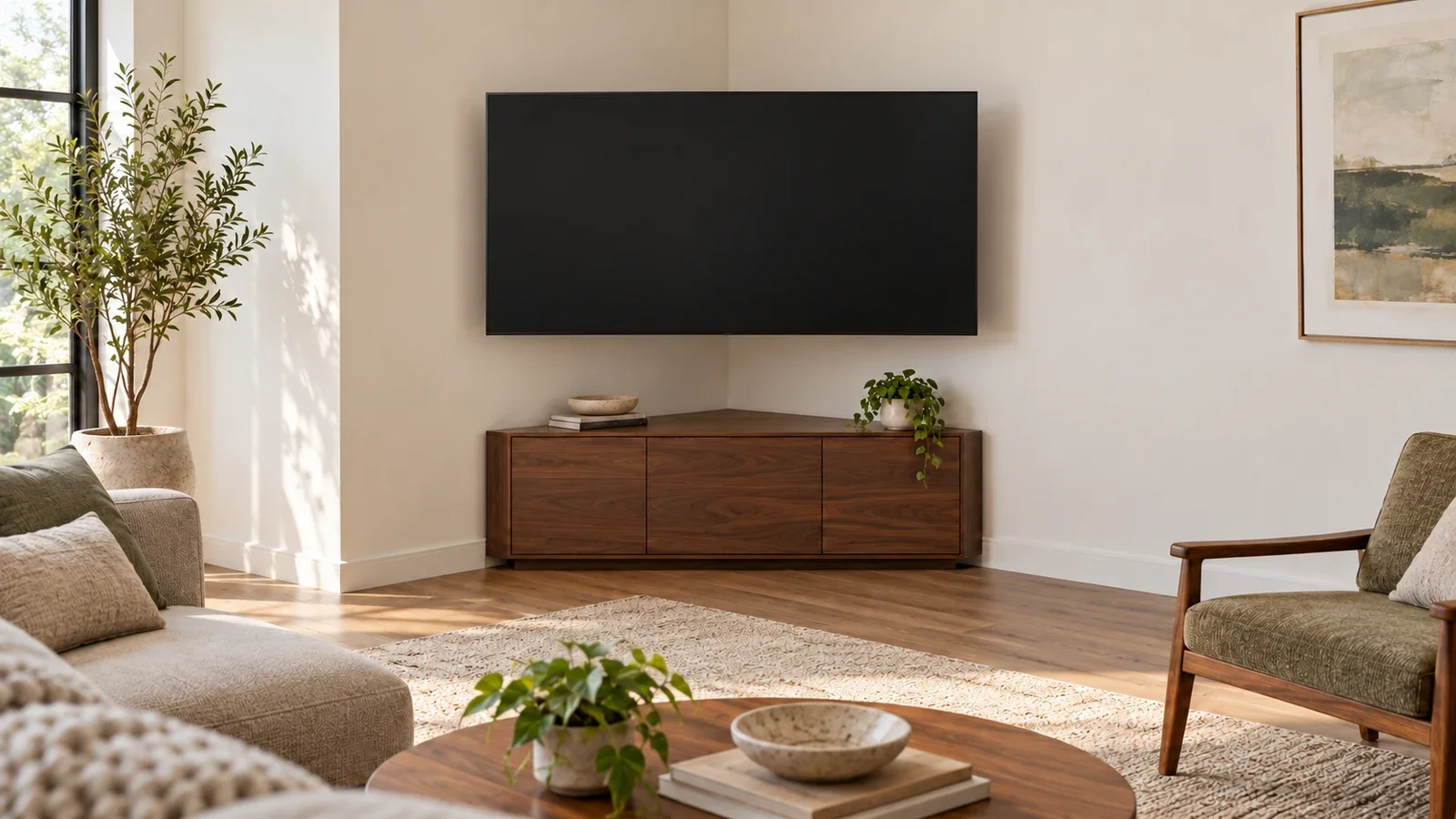
Yes, you can mount a TV in a corner when the mount supports that layout, the wall attachment is suitable and the television clears both walls. Common approaches use a full-motion mount attached to one wall or a dedicated corner system designed for two adjoining walls. Choosing between them requires more than matching the TV’s diagonal size: check the actual width, mounting position, arm movement and space behind the screen.
Choose a mount designed for the layout
A one-wall full-motion mount can extend from the wall beside the corner and turn the screen toward the seating area. Its wall plate still needs the attachment specified in the manual. The available stud location and the arm’s geometry determine where the screen can sit; the television does not have to be centered directly over the wall plate.
A dedicated corner mount may use separate wall plates on the two adjoining walls. Mount-It!’s MI-440, for example, uses a split wall plate and is described for corner applications. This is a purpose-designed arrangement. Do not split, bend or bridge a standard flat-wall plate across a corner unless its manufacturer expressly provides that configuration.
| Approach | Potential use | Main fit check |
|---|---|---|
| One-wall full-motion mount | Attach beside the corner and angle the TV into the room | Wall-plate location, arm reach and screen clearance |
| Dedicated corner system | Use the manufacturer’s two-wall mounting arrangement | Approved wall geometry and attachment on both sides |
| Fixed or tilt mount on one wall | Keep the TV on a flat wall near the corner | Whether the seating view works without horizontal swivel |
| Suitable TV stand or console | Use the corner without a wall-mounted layout | Stable support, TV compatibility and room circulation |
A conventional fixed or tilt mount does not gain horizontal swivel just because it is installed near a corner. If you only need to tilt down slightly, a flat-wall position may be sufficient. The fixed, tilt and full-motion comparison explains those differences before you choose the hardware.
Measure the television, not just its diagonal
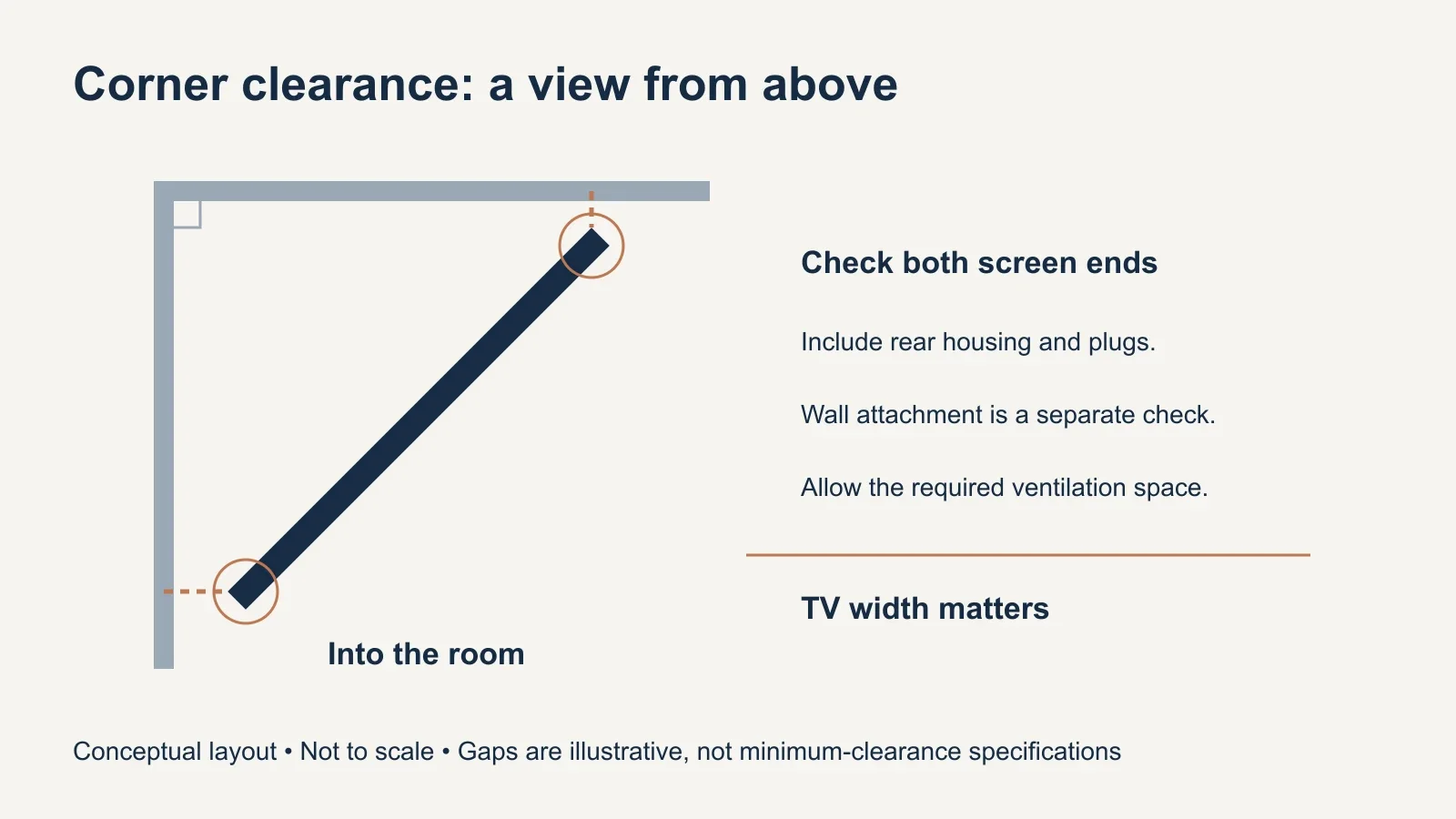
Use the TV manufacturer’s dimensions for width, height and depth without the stand. Include the location of the mounting holes on the back and the space needed for plugs or attached accessories. Two televisions with the same diagonal can have different backs and mounting-hole positions, which changes how each fits on the same bracket.
Check the mount’s supported weight, screen-size range and VESA pattern separately. Include accessories carried by the mount in the load calculation. A corner installation also may have different size limits from a flat-wall installation. If a product page lists several configurations, confirm the limits for the configuration you intend to use in the manual.
Check extension and swivel together
Extension describes how far a mount can bring the TV away from its wall attachment in a specified position. Swivel describes how it can turn. Neither number alone gives the finished corner location. Arm segments, pivot positions and the TV’s mounting interface all affect the path as the screen moves. Use the manufacturer’s dimensional drawing for the exact mount.
For example, the SANUS VLF728 product page lists 28 inches of extension and swivel of up to 57 degrees in either direction. Those are product specifications, not a promise that every compatible television can use the full movement in your corner. A screen edge, plug or nearby cabinet can become the limiting obstruction before the mount reaches that position.
Treat a large advertised swivel figure carefully: it may describe a total range or movement to each side, and the practical range can depend on the screen width. Ask the manufacturer how the stated angle is measured if the drawing is unclear. Do not buy a mount on the assumption that its arm length must equal half the TV diagonal.
Map the corner before drilling
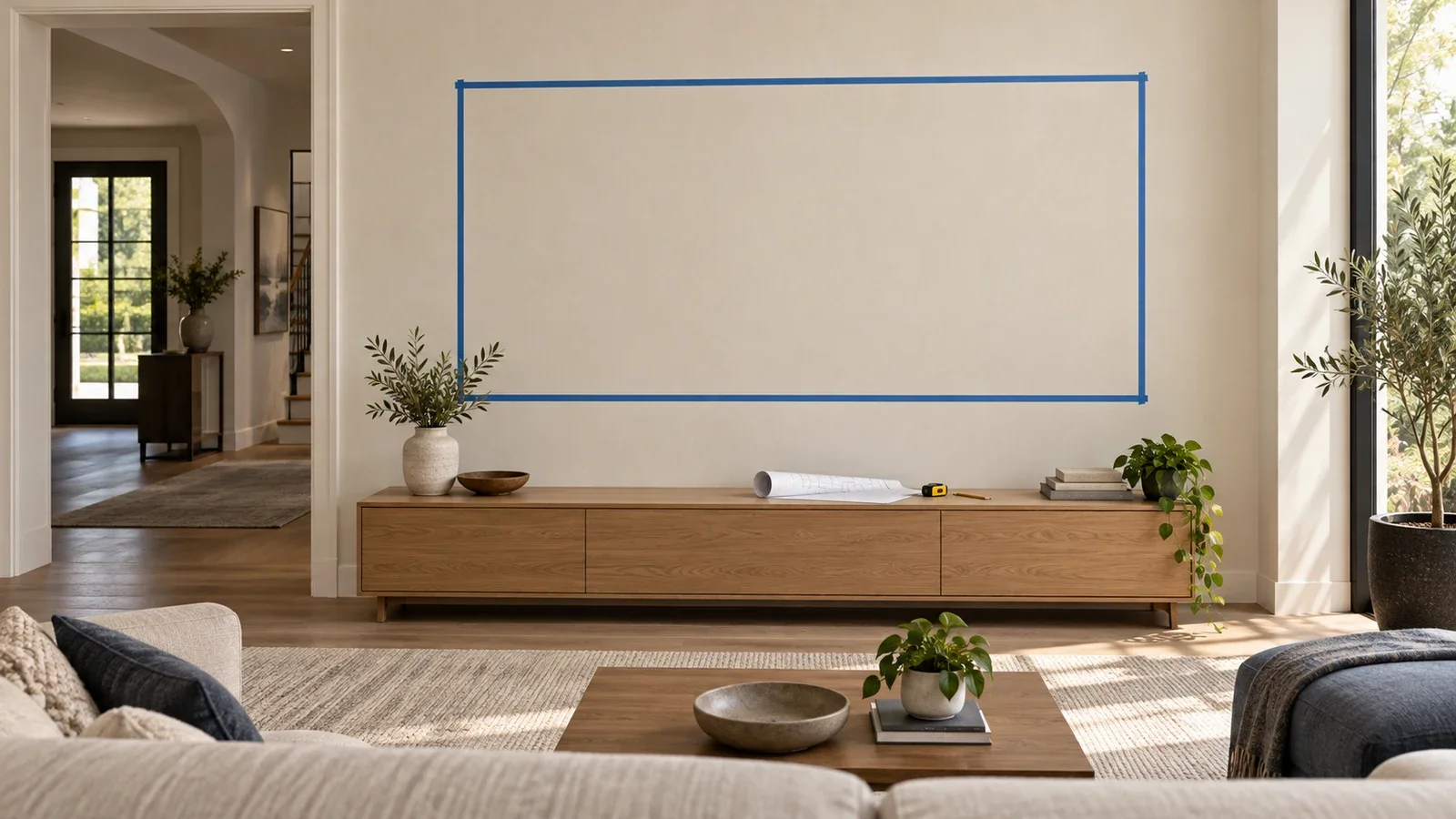
Draw a simple top view of the two walls, then mark the available attachment location and nearby furniture. Make a lightweight cardboard template of the television’s actual width and height to assess the visual position; do not use the television itself as a measuring tool. Keep doors, curtains, windows and walking routes in the plan.
- Measure both wall sections from the corner to the nearest obstruction.
- Record the real TV dimensions and mounting-hole location.
- Confirm the structural attachment positions allowed by the mount.
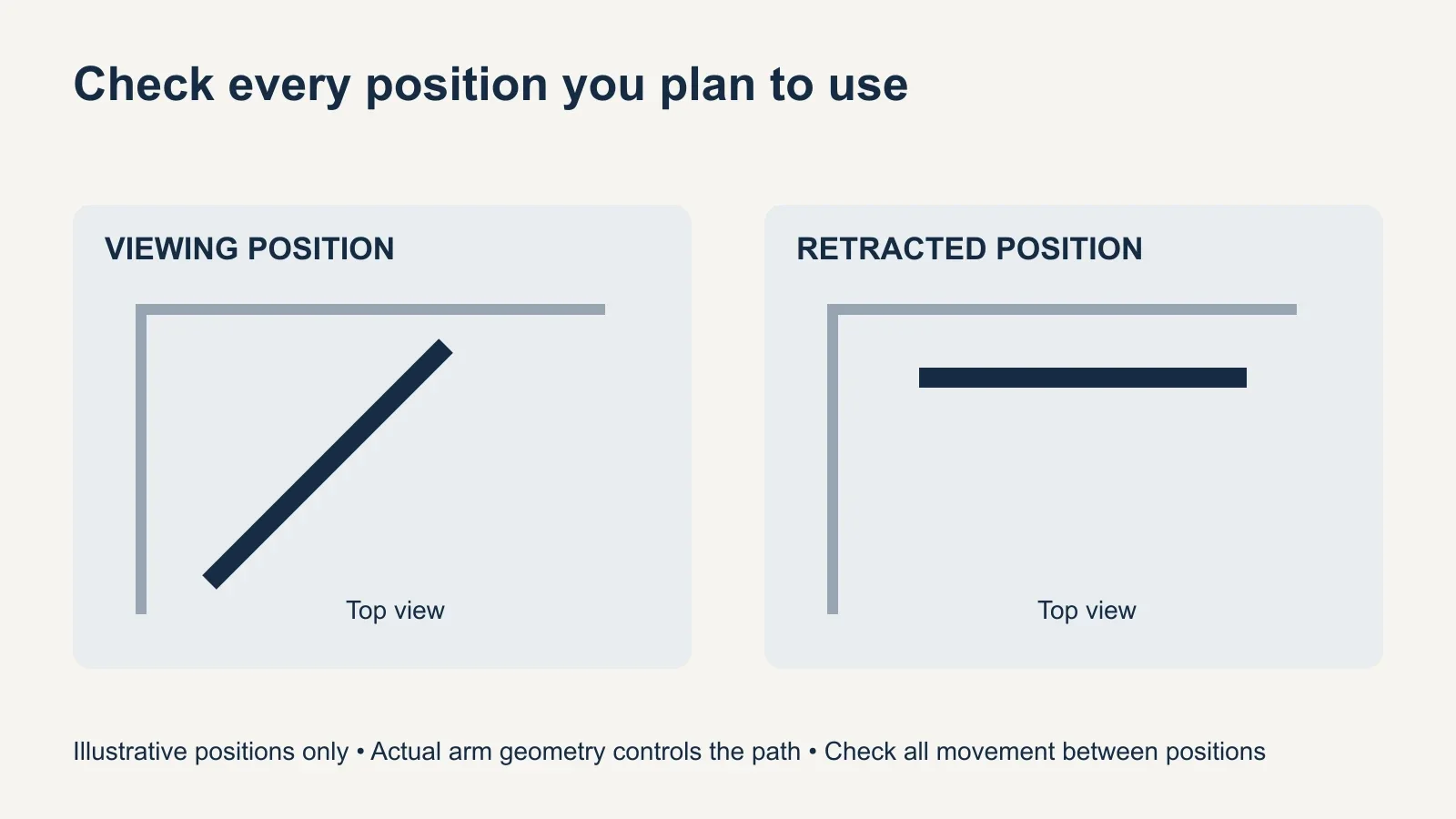
- Check the intended viewing position against the mount’s dimensional drawing.
- Check the retracted position and every movement between the two.
- Allow the cable and ventilation clearances required by the equipment.
Choose the height from the main seated viewing position, not from the empty space above a corner cabinet. Our TV mounting height guide gives a starting framework. Also consider how far the extended screen projects into the room and whether it creates an obstacle along a frequently used route.
Confirm wall support and cable freedom
Locate and verify the structure at the proposed wall plate, rather than assuming the corner itself provides an attachment point. Follow the selected mount’s requirements for wall construction and fasteners. With a two-wall system, both sides need the specified support. Metal studs, masonry, plaster finishes and uncertain backing can require a different assessment or mounting solution.
A longer arm changes the leverage on the wall attachment. That makes the manufacturer’s installation requirements important even if the television is well below the weight rating. Do not compensate for an unsuitable wall location with extra drywall anchors or an improvised spacer. Our metal-stud mounting guide covers one common case where the wall needs special attention.
Route cables so they can follow the intended movement without tightening at the TV ports or entering an arm joint. Keep access to the outlet and connected equipment practical. Check the manufacturer’s ventilation space behind the TV as well: a screen fitting between the walls does not mean its rear housing can be pressed against either one.
Send the right details for a corner-mount quote
A useful assessment starts with the exact TV model, proposed mount model, photos showing both walls and measurements to nearby obstructions. Include the main seating position, preferred height, outlet location and whether the television must retract after use. These details help identify a workable layout before holes are drilled.
For TV mounting help, ask UPTask to assess the corner, wall structure and proposed hardware together. Confirm mount supply, cable concealment and any additional wall work in the quote. If the desired screen position cannot be achieved with approved hardware and adequate clearance, a different wall location or suitable stand may provide a better result.